


Jacquie Lawson Ecards
4.72.72K Reviews
App Specs
- Version
- 1.2.0
- Updated On
- License
- Free
- Downloads
- 500,000+
- Developer
- Microcourt Limited
- Categories
- Lifestyle
- Platform
- Android
Screenshots

 Analysis by AppCompare
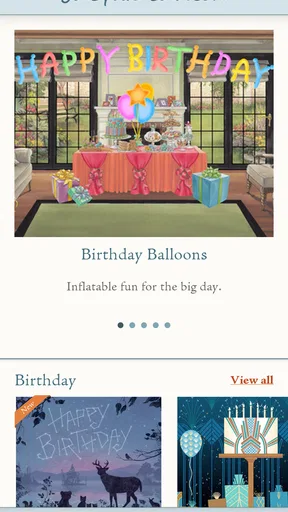
I tend to think of digital greetings as useful only when they still feel personal. A quick message can be practical, but it rarely creates the same small moment of delight as a card chosen for one particular person. Jacquie Lawson Ecards takes that idea and puts it into a lifestyle app built around browsing and sending animated greetings. After using it, I found the strongest appeal was not simply the animation; it was the feeling of having a more considered option ready when a paper card is inconvenient.
The app is free to install and is made by Microcourt Limited. It has reached over 500 thousand installs, with a 4.7 average from around 23 thousand ratings. Those figures match my impression that this is a focused product rather than a general social platform: it does one main job, and its value depends on whether you enjoy sending polished digital cards instead of ordinary texts, stickers, or static images.
How it works when a household shares the idea
A realistic use case is a household where several people remember different occasions. One person may need a birthday greeting for a relative, another may want a thank-you card for a teacher, and someone else may be looking for a seasonal message. Rather than opening a browser, searching for an image, and assembling a message from scratch, the app gives everyone a place to browse animated designs and choose something that feels more deliberate.
I especially like this shared-device scenario for people who are not equally comfortable with creative apps. A family member can look through the available designs, pause over a card that suits the recipient, and then decide whether to send it immediately or involve someone else in the wording. That makes the app useful as a small coordination tool: the card selection becomes part of the conversation instead of one person silently handling every greeting.
There is an important distinction, though. This is not a family organizer, shared calendar, or messaging hub. I would not install it expecting a central place to track every birthday or assign greeting duties. Its role is narrower and more pleasant: it helps with the moment of choosing and sending. If your household needs reminders, contact management, or a record of who sent what, you will still need the tools you already use for those jobs.
On a shared tablet, I would use it with a simple routine. First, browse together when the occasion is not urgent. Second, agree on the tone before opening the sending step. Third, let the person who knows the recipient best make the final choice. This avoids a common problem with digital greetings, where the fastest available card wins even if it does not sound like the sender.
The browsing experience rewards patience
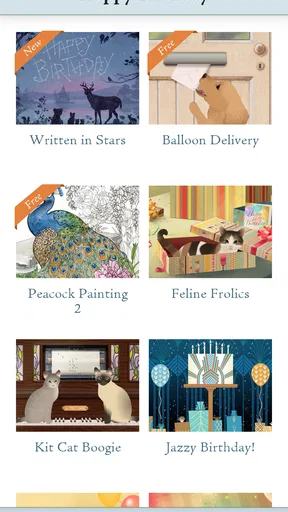
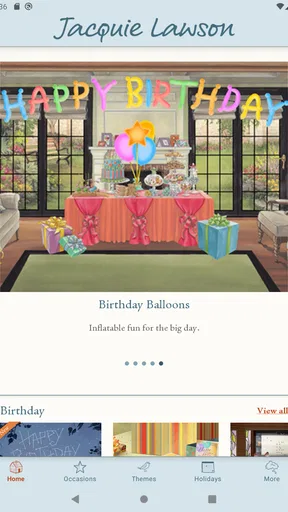
The app makes most sense when you treat browsing as part of the experience rather than as a quick search box for a picture. Animated cards can communicate mood through movement, timing, and visual detail, so the first design you notice is not necessarily the best one. I found it worthwhile to compare several options before settling on a card, especially when the recipient was older, more formal, or likely to appreciate a calmer style.
Worth Reading Before You Choose

EA SPORTS FC Mobile 26 Is a Bigger Football Game, but It Takes Time

Flipboard Shows What News Apps Must Do Beyond the Feed

Switching to Android Auto Means Rethinking Your Driving Routine

Google Calendar Makes a Crowded Week Easier to Manage

Ludo King Makes the Most of the Minutes Between Plans

Baby Panda World Brings Quick Play to Modern Phones, but Its Game Library Feels Busy
That also reveals a trade-off. A library of animated greetings can feel richer than a folder of static images, but it can take longer to make a decision. People who want to type “happy birthday” and send it in a few seconds may find the selection process unnecessary. The app is better suited to a sender who sees the greeting as a small gift in itself.
One practical tip is to choose the recipient before choosing the visual style. For a close friend, a playful animation may be appropriate; for a colleague or distant relative, a restrained design is usually safer. Looking at the animation with the recipient in mind helps prevent a polished card from feeling oddly mismatched.
What to expect during setup
Because the app is free to download, the initial decision is easy: you can explore it without committing money at the start. The current version is 1.2.0, and it runs on operating systems from version 9 onward. That makes it accessible on a broad range of older compatible devices, although the final experience will naturally depend on the phone or tablet itself, screen size, and how comfortably it handles animated content.
I would set it up on the device that will actually be used for sending, rather than assuming that a shared tablet is always the best choice. A larger screen is pleasant for browsing, but a personal phone may be more convenient when the recipient’s details and the sender’s preferred communication method are already there. The right choice depends less on the app and more on whether the household values collective selection or individual convenience.
Before handing the device to another person, I would also make the boundaries clear. Decide who is browsing, who is writing, and who is pressing send. That sounds obvious, but it matters on a shared screen: a child may choose a card for a relative, while an adult should confirm the recipient and the final wording. The app can support a warm family activity, but it does not replace ordinary care around outgoing messages.
I would not describe the setup as a substitute for account separation. If different people use the same device, keep in mind that the experience belongs to the device and the person operating it at that moment. Do not assume that a shared installation automatically creates separate personal spaces, private histories, or household profiles. For a family that needs strict boundaries between users, individual devices and normal account practices are the safer arrangement.
Free entry, paid decisions
The app itself is free, but it includes in-app purchases priced from $7.99 to $35.99 per item. That changes how I would introduce it to a household. I would let everyone browse first, then discuss whether a particular purchase is worthwhile before anyone completes it. This is especially sensible on a shared device, where a younger user might reasonably believe that free installation means every card is free to send.
The purchase model can be a strength for occasional senders because you are not necessarily committing to a recurring service simply to explore the app. At the same time, the higher end of the range may feel excessive if your usual alternative is a free message, a homemade image, or a physical card bought only for major occasions. The value depends on how often your household sends greetings and how much importance it places on presentation.
My advice is to judge the purchase by the recipient and the occasion, not by the novelty of the animation. A milestone, a thoughtful thank-you, or a message to someone who appreciates beautifully made stationery may justify spending more. A routine reminder to someone you message every day probably does not. That simple rule prevents the app from turning a kind gesture into an automatic expense.
On a shared device, I would make the payment boundary part of the household agreement. The person browsing can shortlist cards, but the adult responsible for purchases should make the final decision. This is not a criticism of the app; it is simply the sensible way to use any free app with optional paid items when several people have access to the same screen.
Coordination without making the greeting feel mechanical
The best household use I found was collaborative but not over-organized. One person remembered the event, another chose the design, and the sender added the personal context. That division works because the app handles the visual presentation while the family supplies the meaning. If the final message contains only a generic line, even an attractive animation can feel distant.
A useful workflow is to write down the one detail that makes the occasion specific before selecting the card. For a birthday, it might be a shared memory or a plan to meet. For a thank-you, it could be the exact favor being acknowledged. The card then becomes a frame for a real message rather than a replacement for one. This is one of the clearest ways to get more value from the app than from simply forwarding a decorative image.
I would also avoid having several household members send separate cards for the same occasion unless that is intentional. Animated greetings can feel special, but multiple nearly identical messages may become clutter. Decide whether the card represents the whole household or one individual. That small choice makes the greeting clearer and prevents an enthusiastic shared-device session from producing accidental duplication.
Another practical point is timing. Browsing in advance is more comfortable than choosing under pressure on the day itself. It gives the sender time to compare tone, prepare a personal note, and confirm the recipient. The app is enjoyable when used as a small creative pause; it is less impressive when treated as an emergency replacement for remembering an occasion.
Age, trust, and the right kind of supervision
The content rating is Everyone, which makes the app broadly suitable in an age-context sense. Still, an age rating should not be confused with complete independence for every user. Sending a greeting involves a recipient, a message, and possibly a purchase, so younger users may still need an adult to guide the final step.
For children, I would make the selection process collaborative. Let them choose the animation and explain why it fits, then review the wording and destination together. This turns the app into a useful lesson in digital courtesy: the child is making a creative decision, while the adult models checking names, tone, and consent before sending.
For older relatives, the main question is ease rather than supervision. A larger display may make browsing more comfortable, and a family member can help with the sending stage without taking over the personal choice. I like that the app can provide a visually expressive greeting for someone who does not enjoy designing messages themselves, although anyone who finds animated interfaces distracting may prefer a simple paper card or plain text.
Trust matters in a different way for teenagers and adults sharing a phone or tablet. I would not use a shared installation as a reason to inspect another person’s private communications. Instead, agree on whose greeting is being prepared and hand the device back when the task is finished. The app works best as a visible, voluntary activity, not as a way to monitor what another household member is sending.
There is also a social boundary worth remembering: a beautifully designed card does not guarantee that the recipient wants digital greetings. Some people prefer physical mail, a phone call, or a short personal message. I would use this app when the recipient is comfortable receiving an animated ecard, and choose a different method when the gesture needs to be tangible, private, or more conversational.
Where it beats ordinary alternatives
Compared with sending a standard text, the app offers more atmosphere. A text is faster and more flexible, but it asks the sender to provide nearly all of the personality. Here, the visual design carries some of the emotional weight, which is helpful when I want to send something polished without spending time creating artwork.
Compared with a static image from a search engine, the animated format feels more intentional. Search results can be convenient, yet they often lead to generic graphics that look copied or poorly matched to the occasion. A dedicated ecard app keeps the activity focused on greetings rather than making the sender sort through unrelated images, advertisements, or questionable sources.
Compared with a physical card, it is easier to send at a distance and does not depend on a trip to a shop or a mailbox. The compromise is obvious: there is no paper keepsake, handwriting, envelope, or tactile surprise. I would choose Jacquie Lawson Ecards for immediacy and presentation, but I would still choose a physical card for someone who values objects, displays cards at home, or expects a more traditional gesture.
Compared with a general design app, it is less demanding. You do not need to build the entire composition yourself, learn layout tools, or find suitable animation. That convenience is also its limitation: someone who enjoys making highly personal designs may feel restricted by a curated greeting experience. The app is for selecting and sending with taste, not for unrestricted visual creation.
Small frictions that affect the decision
The focused nature of the app means it may not earn a permanent place on every phone. If you send only one greeting a year, the free installation is easy to justify, but the paid options may not be. If your social circle prefers quick chats, voice notes, or shared photos, an animated ecard could feel more formal than your normal communication.
Browsing can also create decision fatigue when you are looking for a very precise tone. A large choice is useful only when the designs help you narrow the field. My solution is to set a limit: compare a handful of suitable cards, choose the one that matches the relationship, and stop searching once the card feels right. Endless browsing rarely makes the final greeting more sincere.
The other friction is coordination. A shared household can make the app more enjoyable, but it can also create confusion if everyone assumes someone else has sent the card. I would keep the responsibility explicit. One person should own the final send, even if several people contribute ideas. That simple habit is more reliable than treating the app as a group inbox.
People who need robust organization should look elsewhere or pair this app with a calendar and contacts workflow. People who need detailed customization may prefer a design tool. People who want a cheap, immediate line of text may find their existing messenger better. None of those alternatives makes this app poor; they simply serve different priorities.
My household verdict
After using it, I see Jacquie Lawson Ecards as a good choice for households that enjoy making digital greetings feel like occasions. The free entry point makes it easy to explore, the Everyone rating suits broad household use, and the animated presentation gives a more finished feel than an improvised image or a bare text message. Its strongest quality is the way it turns choosing a greeting into a small act of thoughtfulness.
I would recommend it to a family that sends cards across distance, to an adult who wants a polished option for several kinds of occasions, or to someone who values design but does not want to create every card from the beginning. I would also recommend using it collaboratively when the household wants children or relatives to take part in choosing a message, with an adult confirming the recipient and any purchase.
I would skip it if your priority is completely free messaging, physical keepsakes, advanced customization, or built-in event organization. The optional purchases deserve a deliberate decision, and a shared device requires clear boundaries rather than assumptions about separate users. Those limitations are manageable, but they are important when deciding whether the app fits your habits.
Overall, Jacquie Lawson Ecards works best when you slow down enough to match the card to the person. I would not use it for every casual message, but I would keep it in mind for the occasions where a standard text feels too thin and a physical card feels impractical. Its real strength is thoughtful presentation without requiring the sender to become a designer.
Pros
- Beautifully animated cards with polished artwork and music.
- Large collection covering birthdays
- holidays
- and special occasions.
- Scheduled delivery helps you send cards at the perfect time.
- Cards can be personalized with messages and recipient details.
- Works well for sending thoughtful greetings from a mobile device.
Cons
- A subscription or individual purchases may be required for full access.
- Some cards take time to load
- especially on slower connections.
- Personalization options can vary considerably between card designs.
- The app may use noticeable storage for animations and downloadable content.
- Recipients may need a compatible browser or connection to view cards.
FAQs for Jacquie Lawson Ecards
What is Jacquie Lawson Ecards?
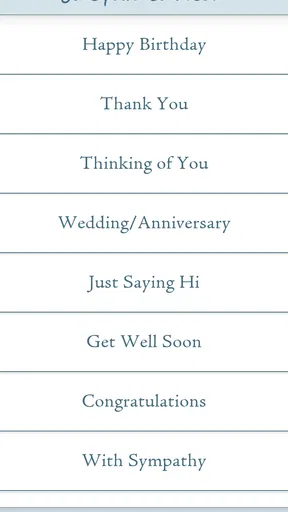
Jacquie Lawson Ecards is a digital greeting card app and service featuring illustrated cards for birthdays, anniversaries, holidays, thank-you messages, congratulations, and other occasions. Its cards are known for detailed artwork, gentle animation, music, and interactive scenes. Instead of sending a traditional paper card, users can select an ecard, personalize the message, and deliver it electronically to a recipient.
How do I send a card with Jacquie Lawson Ecards?
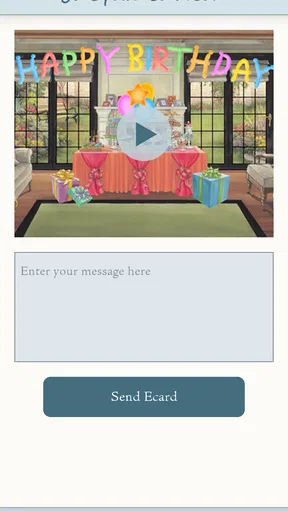
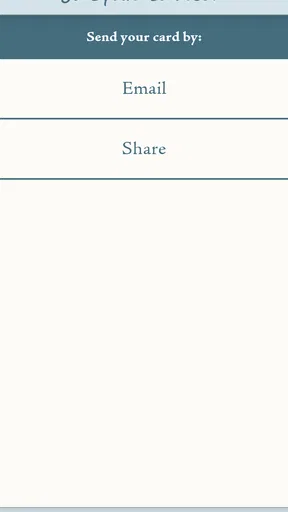
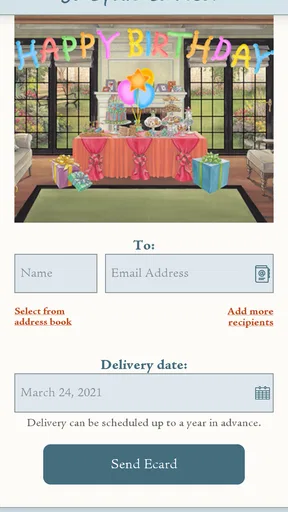
After opening the app, browse the available card categories or search for a specific occasion. Select a design, add your personal message, and enter the recipient’s email address or other requested delivery details. Depending on the card and subscription options, you may also be able to schedule the delivery for a future date. Review the information carefully before sending.
Does Jacquie Lawson Ecards require a subscription or payment?
Some Jacquie Lawson cards may be available through a paid purchase, membership, or subscription, depending on the platform, region, and current offer. The app may allow users to preview designs before committing, but access to the full collection and sending features can require payment. Check the price, renewal terms, and included benefits in the app store listing before subscribing.
Can I personalize Jacquie Lawson Ecards?
Yes, personalization is one of the main features of Jacquie Lawson Ecards. Users can generally add a custom greeting or message and provide recipient information before sending. The amount of customization can vary by card, since many designs are carefully produced as fixed animated experiences. Preview the completed card before delivery to check spelling, names, and the selected occasion.
Can recipients open Jacquie Lawson Ecards on any device?
Recipients can usually view Jacquie Lawson Ecards through a compatible web browser or supported mobile device, but the exact experience may depend on the card format, operating system, internet connection, and current service requirements. Unlike a paper card, an ecard normally needs online access to load its animation, sound, and interactive elements. Recipients should use an up-to-date browser or app when possible.


